Mastering Visual Presentation: A Comprehensive Guide to the Pink Book Mockup
In the competitive landscape of digital design and marketing, the first impression is often the only impression. Whether you are an independent author preparing for a launch, a graphic designer presenting a concept to a client, or a marketer crafting social media assets, the way you present your work matters immensely. This is where the Pink Book Mockup becomes an indispensable tool. Far more than just a static image, this high-quality 3D render serves as a bridge between raw design files and professional, market-ready visuals.
Understanding how to utilize a book mockup effectively can transform your portfolio and elevate your brand identity. In this article, we will explore the significance of these digital assets, break down their technical specifications, and discuss why a pink-themed aesthetic might be the perfect choice for your next project.
What Is a Book Mockup and Why Does It Matter?
A book mockup is a digital template that allows designers to place their cover art onto a realistic three-dimensional model of a book. Instead of showing a flat, two-dimensional JPEG of a cover design, a mockup provides context. It shows how the spine curves, how the pages sit, and how light interacts with the cover texture. This level of realism helps stakeholders visualize the final physical product before it goes to print.
The Pink Book Mockup specifically offers a unique stylistic advantage. Pink is a color often associated with creativity, warmth, compassion, and playfulness, though its shade can range from soft pastels to vibrant neons. Using a pink base allows your design to stand out in crowded feeds while maintaining an approachable and modern aesthetic. It is particularly effective for genres such as romance, self-help, lifestyle, and contemporary fiction.
The Power of 3D Rendering in Design
You might wonder why a 3D render is preferred over a simple photograph. The answer lies in consistency and control. A 3D rendered mockup ensures that lighting, shadows, and perspectives are perfectly balanced every time. There are no unpredictable reflections or dust particles to edit out. This makes the Pink Book Mockup incredibly easy to use, even for those with limited photo-editing experience. You simply insert your design, and the software handles the complex calculations regarding perspective and lighting integration.
Technical Specifications: Quality That Scales
When selecting digital assets for professional use, resolution is paramount. A low-resolution image may look acceptable on a smartphone screen but will appear pixelated and unprofessional when printed or viewed on a high-definition monitor. The Pink Book Mockup addresses this concern by offering exceptional quality standards tailored for various needs.
- Ultra-High Resolution: The primary file format provided is PNG with dimensions of 10000 x 8000 pixels at 300 DPI. This massive canvas size ensures that every detail remains crisp, allowing for large-format printing or extreme zooming without loss of quality.
- Standard High Definition: For web-based projects where file size matters, a secondary option of 4000 x 3200 pixels at 300 DPI is included. This resolution is more than sufficient for most online portfolios, social media posts, and standard digital presentations.
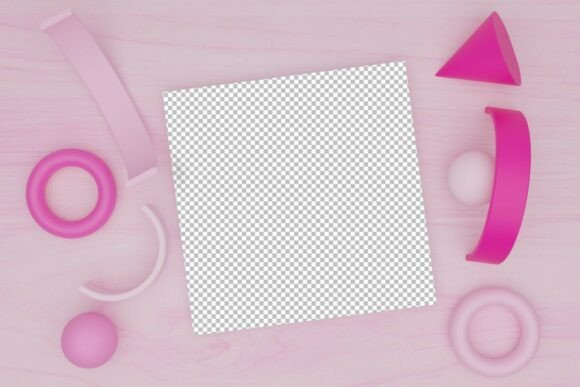
- Transparent Backgrounds: The PNG format supports transparency, meaning you can easily overlay the book onto different backgrounds, textures, or colored layers without dealing with jagged white edges.
These specifications ensure that whether you are creating a small Instagram story or a large billboard advertisement, the visual integrity of your design remains intact.
Practical Applications for Artists and Marketers
The versatility of the Pink Book Mockup extends across multiple industries. Here is how different professionals can leverage this tool to enhance their workflow and output.
For Graphic Designers
Designers often struggle to communicate the value of a flat cover design to clients who may not have a trained eye for spatial awareness. By placing the design onto a 3D pink book model, you provide immediate context. It helps clients understand how the title placement looks on the spine and how the back cover balances with the front. This reduces revision cycles and speeds up approval processes.
For Authors and Publishers
In the era of self-publishing, authors must act as their own marketing teams. A professional-looking book cover is crucial for sales on platforms like Amazon or Etsy. Using a high-quality mockup allows authors to create promotional materials, such as "Coming Soon" graphics or email newsletter headers, that look polished and trustworthy. The pink hue can be particularly appealing for target demographics interested in wellness, romance, or young adult fiction.
For Social Media Managers
Social media algorithms favor visually engaging content. A flat image of a book cover often gets lost in the scroll. However, a 3D rendered book with realistic shadows and depth captures attention. The pink color palette is highly shareable and fits well within popular aesthetic trends on platforms like Pinterest and Instagram. Marketers can use this mockup to create cohesive brand feeds that feel curated and professional.
How to Use the Pink Book Mockup Effectively
While the tool is designed to be user-friendly, following best practices will yield the best results. Here is a step-by-step approach to integrating this asset into your workflow:
- Prepare Your Design: Ensure your book cover artwork is saved in a high-resolution format (preferably PSD or TIFF) before importing it into the mockup file.
- Import into Smart Objects: Most professional mockups use "Smart Objects" in Photoshop. Double-click the smart object layer, paste your design, save, and close. The mockup will automatically update with your artwork applied to the 3D shape.
- Adjust Lighting and Shadows: Although the 3D render comes with pre-set lighting, you may want to tweak the brightness or contrast to match your brand’s mood. The pink tone should complement, not overpower, your cover art.
- Export for Purpose: If using for web, export as JPEG or PNG at 72 DPI to keep file sizes manageable. If printing, use the 300 DPI version provided.
Common Misconceptions About Mockups
There are several misunderstandings regarding the use of mockups that can hinder designers from fully utilizing them.
Misconception 1: Mockups are only for final products.
In reality, mockups are valuable during the conceptual phase. They help designers test different color schemes and typography layouts in a realistic environment early in the process.
Misconception 2: All mockups look the same.
This is far from true. The Pink Book Mockup offers a specific aesthetic that differs significantly from standard white or black book templates. The choice of color and angle can drastically change the emotional response of the viewer.
Misconception 3: High resolution is unnecessary for digital use.
With the rise of Retina displays and 4K monitors, low-resolution images appear blurry. Starting with a 10000 x 8000 pixel source file ensures future-proofing for any platform.
Conclusion
The Pink Book Mockup is more than just a digital file; it is a strategic asset for anyone involved in visual storytelling. By combining high-resolution 3D rendering with a versatile and engaging color palette, it empowers artists, designers, and marketers to showcase their work with professionalism and flair. Whether you are aiming to impress a client, boost book sales, or enhance your social media presence, understanding how to leverage this tool can provide a significant competitive edge.
Remember, the goal of a mockup is not to deceive, but to clarify. It bridges the gap between imagination and reality, allowing your audience to connect with your design on a deeper level. By utilizing the included high-DPI formats and adhering to best practices in presentation, you ensure that your creative vision is communicated clearly and effectively. Embrace the power of visual context, and let your designs speak volumes.