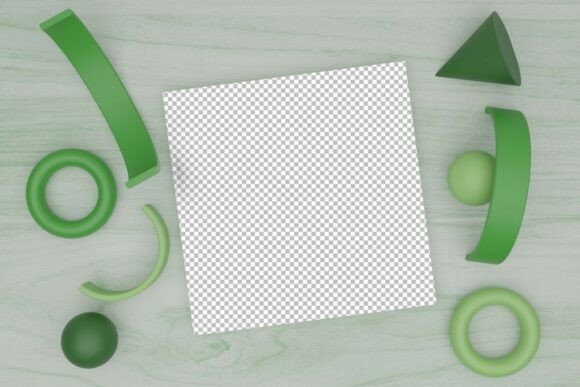
Green Book Mockup: Elevate Your Design Presentation
In the visual economy of today’s digital landscape, the difference between a good idea and a sold concept often lies in presentation. A Green Book Mockup serves as a critical bridge between raw creativity and professional perception. Whether you are an independent author preparing for a launch, a graphic designer pitching to a high-end client, or a marketer crafting a social media campaign, the way your work is displayed dictates how it is received. This specific 3D render offers more than just a placeholder; it provides a sophisticated, realistic context that allows your design to breathe and stand out.
The utility of this tool extends far beyond simple aesthetics. It is about creating trust. When a viewer sees a book rendered with accurate lighting, texture, and depth, they subconsciously attribute higher value to the content within. The green hue, in particular, carries psychological weight—suggesting growth, stability, nature, or wealth, depending on the shade and context. By leveraging a high-quality mockup, you are not just showing a cover; you are selling an experience.
Why High-Resolution Renders Matter
One of the most common mistakes creators make is using low-resolution assets for high-stakes presentations. Pixelation and blurry edges break immersion instantly. This Green Book Mockup addresses that issue head-on by providing exceptional clarity. With included formats such as PNG files at 10000 x 8000 pixels and 4000 x 3200 pixels, both at 300 DPI, you have the flexibility to use this asset across virtually any medium.
The 300 DPI (dots per inch) specification is crucial for print-ready materials. If you are creating physical brochures, portfolio pieces, or large-format posters, this resolution ensures that every detail remains crisp. Conversely, the high pixel dimensions allow for significant cropping and zooming without quality loss. You can focus on specific details of the spine, the texture of the cover, or the shadow play on the pages, knowing that the image will remain sharp. This level of technical quality saves time during the editing process, as you do not need to hunt for multiple assets for different platforms.
Creative Applications for Designers and Marketers
The versatility of a green book mockup opens up numerous creative avenues. Here is how different professionals can adapt this resource for their specific goals:
- Brand Identity Projects: For designers working on eco-friendly brands or financial institutions, the green color palette can be integrated seamlessly into broader brand guidelines. Use the mockup to show how a company’s annual report or manifesto looks in a tangible format.
- Social Media Campaigns: Instagram and Pinterest thrive on visually cohesive feeds. A 3D render with consistent lighting and color tones helps maintain a professional aesthetic. You can create carousel posts that zoom in on design details, driving engagement through visual storytelling.
- Educational Materials: Educators and publishers can use this mockup to preview textbooks, workbooks, or journals. The realistic appearance helps students and buyers visualize the final product, increasing perceived value before purchase.
- Portfolio Enhancement: Freelancers often struggle to display digital-only work. Placing your flat designs onto a 3D book mockup adds depth and context, making your portfolio look more established and client-ready.
Design Strategies for Maximum Impact
To get the most out of this Green Book Mockup, consider the interplay between your design and the mockup’s inherent characteristics. Since the base is green, your cover art needs to complement rather than clash with this tone. Earthy tones, gold foils, white typography, and deep blacks tend to work exceptionally well against green backgrounds. However, bold contrasting colors like orange or pink can create a vibrant, modern look if used sparingly.
Lighting is another critical factor. Although this is a pre-rendered 3D image, understanding where the light source comes from allows you to place your design elements strategically. Ensure that key text or logos are not obscured by shadows or highlights. The goal is to make the design look like it belongs on the object, not just pasted on top of it. Pay attention to the curvature of the spine and the perspective of the cover. Adjusting the scale and position of your artwork to match the perspective lines of the mockup will result in a seamless integration.
Tailoring Content for Different Audiences
Different audiences respond to different visual cues. When using this mockup, tailor your surrounding content to match the viewer’s expectations.
For corporate clients, focus on cleanliness and structure. Use the mockup to present case studies or white papers. Keep the background minimal and let the book stand as a symbol of authority and knowledge. The high resolution allows you to crop tightly for slide decks, ensuring that text remains legible even on large projection screens.
For creative consumers, such as readers of fiction or art books, evoke emotion. Place the mockup in a lifestyle context if possible, or pair it with complementary textures like wood, stone, or fabric in your overall layout. The green hue can suggest mystery, nature, or tranquility, so align your copy and color grading to reinforce these themes.
For entrepreneurs and small business owners, use the mockup to showcase lead magnets, e-books, or training manuals. The tangible feel of a 3D render makes digital products feel more substantial and worth the investment. It transforms an intangible download into a concrete asset.
Practical Tips for Workflow Efficiency
Integrating high-quality mockups into your workflow should enhance, not hinder, your productivity. Here are some practical recommendations to keep your process smooth:
- Organize Your Layers: When importing the PNG into your design software, keep your design layers separate from the mockup layer. Use clipping masks or smart objects to ensure non-destructive editing. This allows you to swap out designs quickly without repositioning elements every time.
- Color Correction: Even with a perfect mockup, your screen calibration may differ from others. Always check your colors on multiple devices. The green tone might appear differently on mobile screens versus desktop monitors. Adjust saturation and brightness to ensure consistency across platforms.
- File Management: Given the large file sizes (up to 10000 x 8000 pixels), ensure you have adequate storage and processing power. Work with proxies or lower-resolution versions during the initial design phase, then switch to the high-res PNG for final export. This prevents software lag and keeps your workflow efficient.
- Consistency Across Projects: If you are creating a series of books or a multi-part campaign, use the same mockup angle and lighting settings. Consistency builds brand recognition and makes your collection look cohesive and professional.
Finding Inspiration in Simplicity
Sometimes, the most effective designs are the simplest. The Green Book Mockup provides a strong foundation, allowing your content to take center stage. Do not feel pressured to overcomplicate the surrounding graphics. Let the realism of the 3D render do the heavy lifting. Focus on typography hierarchy, clear messaging, and balanced composition.
Consider the narrative you want to tell. Is this a book about sustainability? Let the green evoke nature. Is it a financial guide? Let the green suggest growth and prosperity. Is it a thriller? Use darker shades of green to create tension. The mockup is a canvas, but your strategic choices define the story.
By combining technical precision with creative intent, you can transform a simple digital file into a powerful marketing tool. The Green Book Mockup is not just an image; it is an opportunity to elevate your work, communicate professionalism, and connect with your audience on a deeper visual level. Embrace the clarity, leverage the resolution, and let your designs speak with confidence.