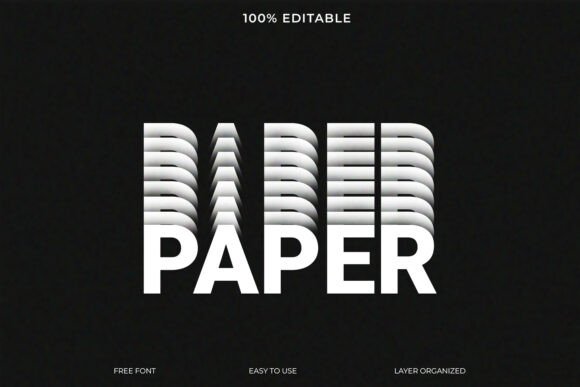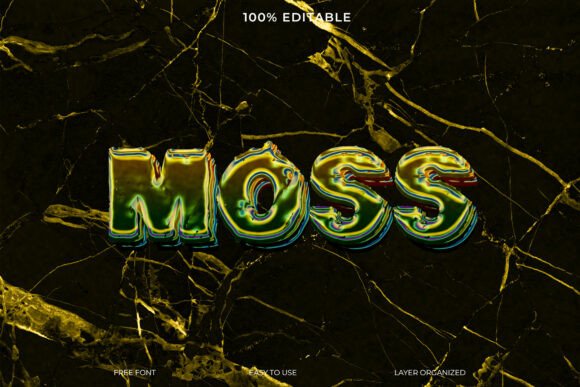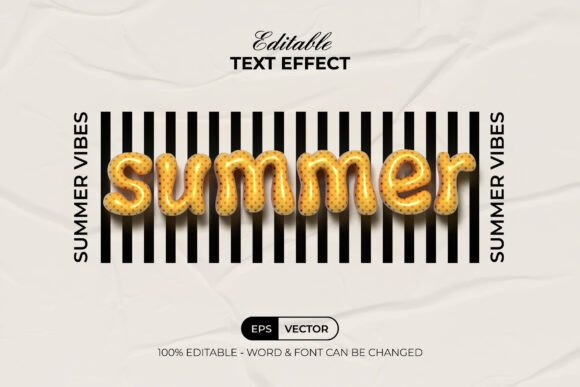
Summer Text Effect Inflated Style Guide
Capturing the essence of summer in graphic design requires more than just bright colors and beach imagery. It demands a tactile sense of warmth, buoyancy, and playful energy. This is where the Summer Text Effect Inflated Style becomes an indispensable tool for modern creatives. By mimicking the look of inflated vinyl, pool floats, or glossy balloons, this aesthetic instantly evokes feelings of leisure, fun, and nostalgia. For designers working in Adobe Illustrator, having access to a pre-built, high-quality effect streamlines the creative process, allowing you to focus on composition and messaging rather than getting bogged down in complex 3D rendering settings.
The appeal of inflated typography lies in its versatility. It bridges the gap between retro pop art and contemporary digital minimalism. Whether you are designing a poster for a music festival, creating social media assets for a lifestyle brand, or crafting eye-catching headers for a blog post, this style adds immediate visual weight and interest. However, achieving a professional result requires understanding not just how to apply the effect, but how to integrate it thoughtfully into your broader design strategy.
Understanding the Technical Foundation
Before diving into creative applications, it is crucial to understand what this asset actually is. The Summer Text Effect Inflated Style is not a font. It is a sophisticated set of Adobe Illustrator graphic styles that leverage the software’s native 3D rendering capabilities. This distinction is vital for managing expectations and workflow efficiency. Because the effect relies on real-time 3D calculations within Illustrator, it behaves differently than a standard vector shape or a static image.
When you purchase or download this item, you receive a well-organized package including an AI file, an EPS file, a JPEG preview, and a Read Me text file with font download links. The core value lies in the graphic styles menu. Once loaded, you can simply type your text, select it, and click the style to apply the inflated look. This non-destructive workflow means you can edit the text content at any time, and the effect will update automatically. This flexibility is a significant time-saver compared to manually modeling 3D letters in dedicated software like Blender or Cinema 4D.
However, there is a technical trade-off. Since the effect uses Illustrator’s 3D render engine, it can be resource-intensive. Users with older hardware may experience lag when editing text or moving objects around the canvas. A high-spec computer is recommended to ensure a smooth experience. Understanding this limitation helps you plan your workflow: finalize your copy and layout structure before applying the heavy effect, or work on a simplified version of the design until the final stages.
Creative Applications Across Industries
The utility of inflated text extends far beyond seasonal summer campaigns. Its bold, friendly appearance makes it suitable for a wide range of industries and projects. Here is how different professionals can adapt this style to meet their specific goals.
Marketing and Social Media
In the fast-paced world of social media, stopping the scroll is paramount. Inflated text offers a three-dimensional quality that stands out against flat feeds. Marketers can use this effect for promotional banners, sale announcements, or quote graphics. The glossy, rounded edges convey approachability and excitement, which aligns well with consumer-facing brands. For instance, a beverage company could use the effect to highlight flavor names, making them look refreshing and tangible. The key is to pair the text with clean, complementary backgrounds so the 3D effect remains the focal point.
Event Promotion and Entertainment
Festivals, concerts, and community events benefit greatly from the energetic vibe of inflated typography. It suggests celebration and movement. Designers can experiment with vibrant RGB colors to match the event’s theme. Because the style supports free fonts, you can choose typefaces that reinforce the event’s personality—whether it is a quirky indie rock fest or a polished corporate retreat. The ability to edit the text easily allows for rapid iteration when client feedback requires last-minute changes to dates or headlines.
Educational and Editorial Content
Educators and publishers can use this style to make learning materials more engaging. Headlines in textbooks, online courses, or children’s books can feel less intimidating and more inviting when rendered in a soft, inflated style. It breaks up dense text and provides visual anchors for young readers or casual learners. When using this approach, ensure high contrast between the text and the background to maintain readability. The goal is to enhance comprehension through visual interest, not to distract from the content.
Best Practices for Professional Results
To get the most out of the Summer Text Effect Inflated Style, consider these practical recommendations for maintaining clarity and consistency in your designs.
- Choose the Right Typeface: Not all fonts work equally well with inflation effects. Bold, rounded sans-serif fonts typically yield the best results because they have enough surface area to show off the highlights and shadows. Thin or highly decorative scripts may lose detail or look disjointed when inflated. Experiment with the free fonts provided in the package to find the optimal balance.
- Mind the Color Palette: The effect uses RGB color, which is ideal for digital screens. To maintain a cohesive look, limit your palette to two or three primary colors plus accents. Overly complex gradients can clash with the built-in lighting of the 3D effect. Let the render do the work of adding depth, and keep your base colors solid and vibrant.
- Optimize Layer Organization: The package comes with well-organized layers, but your own file structure matters too. Keep your text layers separate from background elements. This makes it easier to adjust positioning and scaling without affecting other parts of the design. If you are experiencing lag, try hiding other complex layers while you edit the text.
- Consider the Context: While the style is called "Summer," it is not limited to warm weather themes. The inflated aesthetic works well for tech startups wanting a friendly vibe, food brands emphasizing freshness, or fitness apps promoting energy. Adapt the color scheme to fit the brand identity rather than sticking strictly to traditional summer hues like orange and yellow.
Enhancing Workflow Efficiency
One of the strongest advantages of this tool is its ease of use. For freelancers and small business owners who often wear multiple hats, time is a critical resource. By using a pre-made graphic style, you eliminate hours of trial and error. You do not need to be a 3D modeling expert to achieve professional-grade results. Simply retype your text, apply the style, and adjust the size. This democratization of advanced design techniques allows creators to produce high-quality visuals without a steep learning curve.
Furthermore, the inclusion of editable text means your designs remain flexible. In client work, revisions are inevitable. Being able to change a headline without rebuilding the entire effect from scratch is a significant productivity boost. Ensure you save your original AI file as a template for future projects, so you always have a clean starting point.
Final Thoughts on Visual Impact
The Summer Text Effect Inflated Style is more than a trendy aesthetic; it is a functional design asset that enhances communication through visual texture. It invites viewers to engage with content in a playful, tactile way. By understanding its technical requirements and exploring its diverse applications, you can elevate your design projects with minimal effort. Whether you are creating a simple social post or a complex marketing campaign, this tool offers a reliable pathway to striking, memorable typography. Remember to balance creativity with clarity, and let the inflated style serve your message, not overshadow it.
If you encounter any issues with installation or have questions about compatibility with Adobe Illustrator CC 2022, refer to the included Read Me file or contact the creator directly. With the right approach, this effect can become a staple in your creative toolkit, helping you deliver fresh, inspiring designs consistently.