Integrating a Living Room Wall Mockup into Your Design Workflow
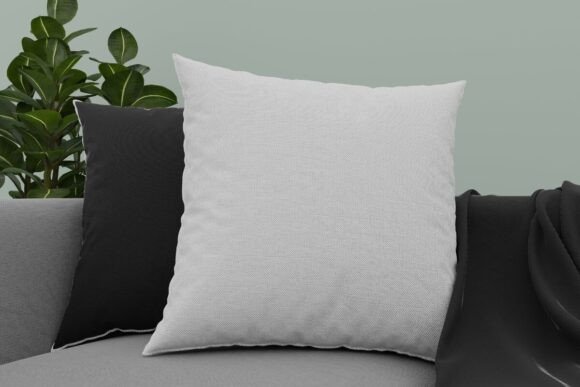
In the competitive landscape of interior design, digital art, and home staging, the gap between a concept and client approval is often bridged by visualization. A Living Room Wall Mockup serves as a critical asset in this process, transforming abstract ideas into tangible, relatable scenes. This tool is not merely a background image; it is a functional component of a broader creative pipeline that allows artists, designers, and marketers to present their work with professional polish. By leveraging high-quality 3D renderings, professionals can showcase artwork, wallpaper patterns, or furniture arrangements in a context that feels authentic and lived-in.
The value of such a mockup lies in its realism and versatility. When a client sees their potential purchase displayed on a beautifully lit, textured wall within a modern living space, the emotional connection strengthens. This article explores how to effectively integrate a living room wall mockup into your daily operations, ensuring that you maximize efficiency while maintaining the highest standards of visual quality.
Understanding the Asset and Its Technical Specifications
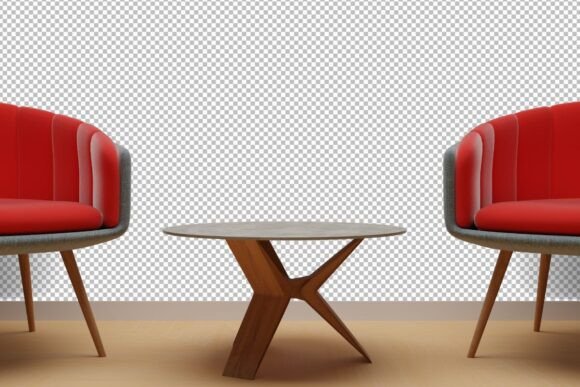
Before diving into implementation, it is essential to understand what makes a specific mockup valuable. The resource in question is a 3D rendering designed to mimic real-world lighting, shadows, and perspectives. Unlike flat, two-dimensional templates, this mockup provides depth, allowing inserted designs to interact naturally with the environment. The included formats are optimized for both web and print applications, offering significant flexibility.
You receive files in PNG format, which supports transparency and high color fidelity. The resolution options are particularly noteworthy: a massive 10000 x 8000 pixels at 300 DPI and a secondary option of 4000 x 3200 pixels at 300 DPI. These specifications ensure that whether you are creating a social media post or a large-format print brochure, the image remains crisp and detailed. The 300 DPI standard is crucial for any physical printing needs, preventing pixelation and ensuring professional-grade output.
Pre-Production: Preparation and Compatibility
Successful integration begins before you even open your design software. Preparation involves assessing the compatibility of the mockup with your existing workflow. Since the file is a PNG, it is universally compatible with major design platforms such as Adobe Photoshop, Illustrator, Canva, and Affinity Photo. However, to fully leverage the realistic qualities of the 3D rendering, layer-based editing software like Photoshop is recommended.
Organize your digital assets efficiently. Create a dedicated folder for your mockups, separating them by room type or style. This reduces search time during tight deadlines. Additionally, ensure your hardware can handle large files. Working with a 10000-pixel wide image requires sufficient RAM and processing power. If your system struggles, utilize the 4000 x 3200 pixel version for initial drafts and switch to the higher resolution only for final exports. This strategy balances performance with quality control.
During Production: Implementation Techniques
Once prepared, the actual implementation focuses on seamless integration. The goal is to make the inserted design look like it belongs on the wall, not just pasted over it. Here are practical steps to achieve this:
- Perspective Matching: Even though the mockup is frontal, slight perspective adjustments may be necessary if your artwork has specific dimensional requirements. Use transformation tools to align edges precisely with the wall boundaries.
- Lighting and Shadows: The 3D rendering includes natural light sources. To maintain realism, adjust the brightness and contrast of your inserted design to match the ambient light of the room. Add subtle drop shadows or use blending modes like "Multiply" to simulate the texture of the wall showing through the artwork.
- Color Harmony: Analyze the color palette of the living room. Ensure your design complements the existing tones of the furniture, flooring, and decor. This holistic approach enhances the overall aesthetic appeal and demonstrates thoughtful design consideration.
For marketers, this stage is about storytelling. The mockup is not just a display case; it is a narrative device. Choose designs that resonate with the target demographic’s lifestyle. If the living room features modern, minimalist furniture, select clean, contemporary art. If the space is cozy and traditional, opt for warmer, classic pieces. This alignment increases the likelihood of engagement and conversion.
Post-Production: Quality Control and Output
After integrating your design, rigorous quality control is vital. Zoom in to 100% to check for any artifacts, jagged edges, or mismatched lighting. Verify that the resolution meets the requirements of your intended platform. For digital use, ensure the file size is optimized without compromising visual integrity. For print, confirm that the color profile is set to CMYK if required by your printer, although starting with an RGB PNG is standard for digital mockups.
Consistency is key when producing multiple variations. If you are creating a series of images for a portfolio or campaign, maintain uniform lighting adjustments and scaling ratios across all mockups. This creates a cohesive brand identity and professional appearance. Save your working files in a layered format (such as PSD) to allow for future edits, while exporting final versions as high-quality PNGs or JPEGs as needed.
Strategic Use Cases Across Industries
The utility of a Living Room Wall Mockup extends beyond interior design. Various professionals can leverage this tool to enhance their offerings:
- Digital Artists and Illustrators: Showcase prints in a home setting to help buyers visualize scale and style. This context often leads to higher sales compared to displaying art on a plain white background.
- Wallpaper and Textile Designers: Test patterns in a realistic environment to evaluate repetition, scale, and color interaction with furniture. This helps in refining designs before mass production.
- Real Estate Stagers: Virtually stage empty walls to help potential buyers imagine the space’s potential. This cost-effective method avoids the expense of physical staging while still providing emotional appeal.
- Marketing Agencies: Create compelling visuals for client presentations. Demonstrating how a brand’s artwork or signage would look in a residential setting can be persuasive in pitching lifestyle-oriented campaigns.
Each use case requires a slightly different approach to implementation, but the core principle remains: context drives connection. By placing your work in a relatable environment, you bridge the gap between product and consumer.
Long-Term Value and Workflow Efficiency
Investing in high-quality mockups yields long-term benefits. A versatile Living Room Wall Mockup becomes a staple in your resource library, reducing the time spent searching for suitable backgrounds for each new project. Over time, you develop a set of presets and actions in your design software that streamline the insertion process, further enhancing efficiency.
Moreover, consistent use of high-resolution, realistic mockups builds trust with your audience. Clients and customers associate professional presentation with professional service. This perception can justify higher pricing and foster long-term relationships. As your portfolio grows, these mockups serve as a unified thread, tying diverse projects together under a banner of quality and attention to detail.
In conclusion, integrating a living room wall mockup into your workflow is a strategic move that enhances both the creative and business aspects of your work. By understanding the technical specifications, preparing your environment, implementing with attention to detail, and applying the tool across various use cases, you can elevate your presentations and achieve better outcomes. The ease of use combined with the high fidelity of the 3D rendering makes it an indispensable asset for anyone involved in visual communication.